Configure Travel Limits menu
# Configure Travel Limits menu
Location:
Project Tree > Travel Limits branch (Configure “on”)
The features on the Configure Travel Limits menu enable you to turn “on” and “off “ machine Travel Limit errors and display the Collision and Travel Limits window, Travel Limits tab enabling you to specify the valid range of travel for each machine axis, and control when travel limit errors are detected
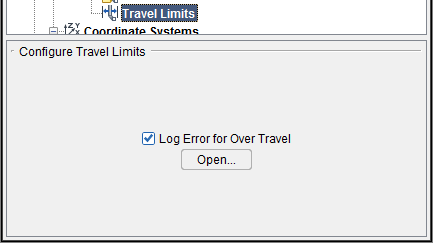
Log Error for Over Travel — Toggles Log Error for Over Travel “on” (checked), to start machine travel limit checking, and “off”.
Open — Opens the Collision and Travel Limits window: Travel Limits tab enabling you to specify the valid range of travel for each machine axis, and control when travel limit errors are detected.