Save Machine File window
Locations:
Project Tree > Configure CNC Machine menu
Project Tree > Configure Machine menu
Machine/Control tab >  (Save)
Machine/Control tab >  (Save As)
Toolbar short cut: 
Opening the Save Machine File window enables you to save a Machine file (ref. Machine File section of Vericut Help). Machine files contain data that describes NC machine construction, kinematics, and other properties.
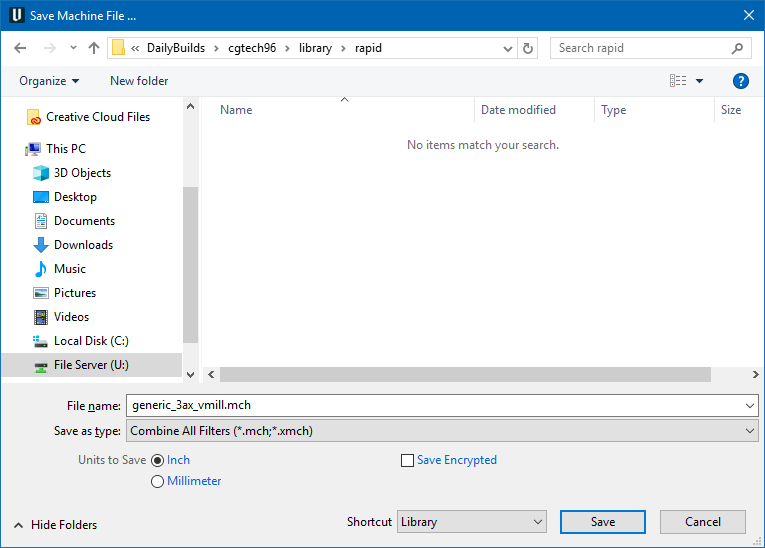
Most features on this window are standard file selection window features that enable you to navigate through directories, filter files, and type, or select, /path/filenames. A description of features specific to Vericut products can be found in the Introduction to Vericut File Selection Windows section of Vericut Help.
To save space, the features described below are unique to this window.
Units to Save — Controls the units (Inch or Millimeter) in which to store machine configuration data. If the session units are different than the units to save, then values are converted accordingly when stored in the new file.
Save Encrypted — Saves the Machine file as a standard encrypted (X-File) with an .xmch extension.
A "standard" encrypted machine file:
-
works with a standard Vericut license.
-
is a compressed binary file.
- contains all files referenced by the Machine file (no external models).
- simulates exactly the same as a standard machine file (.mch)
- disables the Configuration menu features when used in a setup.
- cannot be decrypted/expanded except by Vericut so retain your original machine (.mch) file
See Saving or Opening an NC Machine Configuration section of Vericut Help for additional information.