CNC Machine Probe Simulation
Introduction
CNC Machine Probe Simulation enables you to simulate the use of tool side probe measuring devices on a CNC machining center and detect errors that could potentially damage the probe. Probing in Vericut works the same way as it does on the real machine. The Vericut probe feature simulates the controls “skip signal” function. This means that the machine will move towards the programmed position and will stop if the probe contacts something or when the programmed destination is reached. If contact caused the motion to stop then the rest of the move is aborted and the next line of the program is read.
CNC Machine Probing is a licensed add-on feature to Verification. You don’t need a Probe license to create a probe tool in Tool Manager but you do need a Probe license in order to fully simulate probing operations.
Probe tools
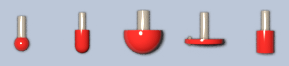
A special probe tool type is available in Tool Manager for use when probing. Vericut currently supports 5 different probe tip styles. (Ball Probe, Radiused Cylinder Probe, Hollow Ball Probe, Disk Probe, and Flat Cylinder Probe)
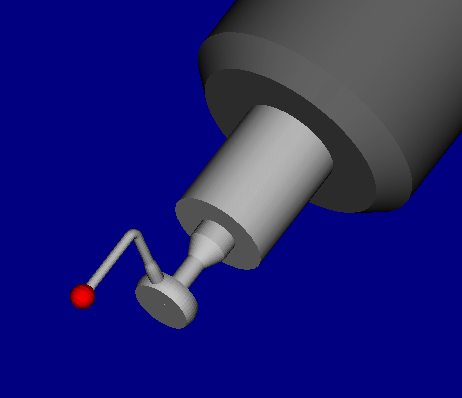
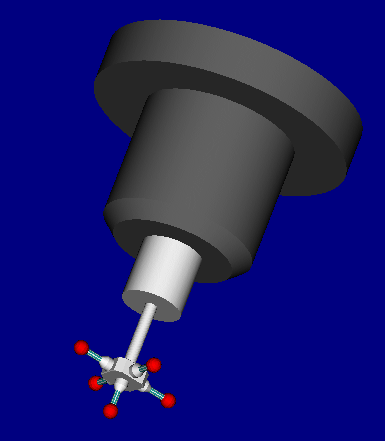
These styli can be configured in Tool Manager in a wide variety of configurations.
| Star configuration | Offset configuration |
|---|---|
 |
 |
Collision
Vericut's collision logic for a probe tool monitors for probe tip collisions when not in probe mode and logs these errors to both the Vericut log file as well as the logger window. The error contact area will be show on the display with the error color (typically red).
Errors are shown when the probe contacts the part without probe mode being active.
📝 NOTE: This is also the result if a probe tool is used without a Probe License.
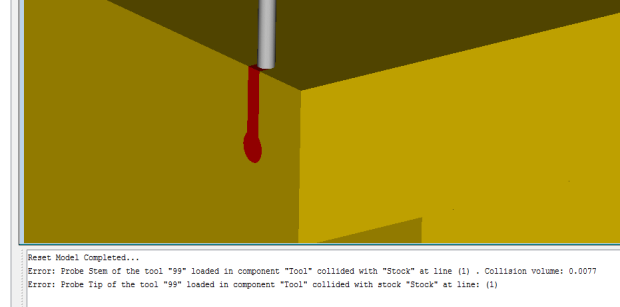
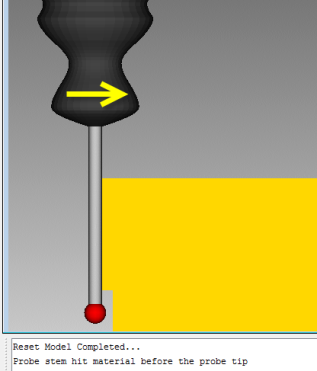
The probe stem is also part of the collision logic and reports errors if the stem comes in contact with any visible model. If the Stem contacts any visible model during a probe move then all motion is stopped, the rest of the move is aborted and a message indicating that the probe Stem has contacted the part prior to the tip will be displayed.
The following message is output when probe mode is active, but the stem contacts prior to the tip.
Probe motion
The G-Code macro Probe turns on probing for the current block. This macro is associated with the active tool component, and the corresponding tool must be a Probe Tool. Probe motion causes Vericut to calculate the location where the probing component encounters an object between the start and the end point of the motion. The machine then moves to the probe contact location, or if no contact is made, to the end point of the motion.
📝 NOTE: For additional information about Probe, and all Vericut macros, see Vericut Macros in the Vericut Help Library.