Saved Layout group
Saved Layout
Location:
View tab > Saved Layout group
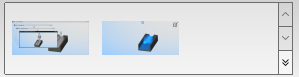
Saved layouts are stored in this group and can be navigated to using the up arrow and down arrow. Clicking any image will cause that layout to become the current views. To manage these layouts, click the  button which will display the following menu options:

Capture Layout — Captures the layout.
Edit/ Remove — Opens the Edit/ Remove Layouts window, enabling you to edit and remove layouts at will.
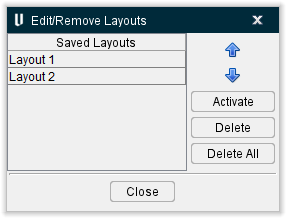
-
Saved Layouts — Displays all saved layouts.
-
 — Navigates the Saved Layout column up by one layout at a time.
 -
 — Navigates the Saved Layout column down by one layout at a time.
 -
Activate — Makes the highlighted layout the current view.
-
Delete — Removes the highlighted layout.
-
Delete All — Delete all saved layouts.
-
Close — Closes the Edit/Remove Layouts window.
Capture Layout
Location:
View tab >  (Capture Layout)
Use this command button to capture the current layout and save it in the Saved Layout group.