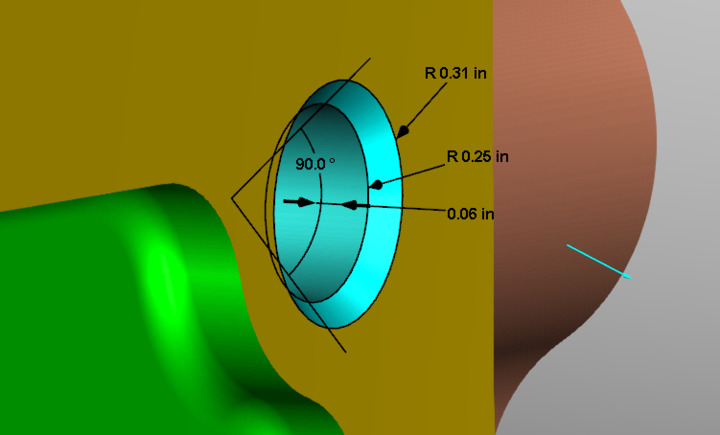
C-Sink Depth group
The command buttons in the Hole Depth group enable you to measure the tops and bottoms of features as well as the C-Sink depth.
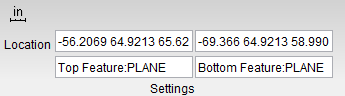
 Top Feature — This is used to define the top of a C-Sink.
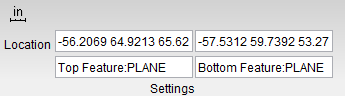
Location — Represents the XYZ coordinates of the screen pick.
Vericut uses data from the screen pick to fill in the "feature type" and the Location data field in the X-Caliper Settings group as shown in the picture below. After the Top Feature has been selected, Bottom Feature becomes active.
 Bottom Feature — This is used to define the bottom of a C-Sink.
 C-Sink — This is used to measure the depth of a feature. It is similar to Hole Depth but measures only as far down as the specified Bottom Feature rather than measuring the entire depth of the hole. Once all of these have been set, you will see your measured c-sink appear as in the following example: