Path Variables
Location:
Configuration tab >  (Path Variables)
The Path Variables command button opens the Path Variables window, enabling users to record and potentially add to a list of all the environment variables that are defined in a project file.
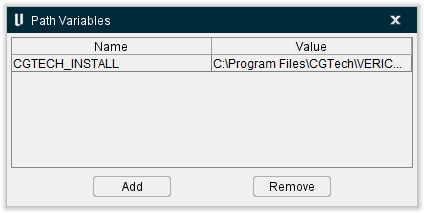
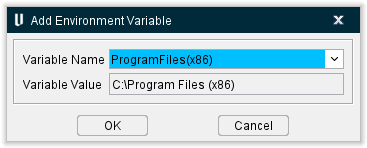
This window lists all variables that are currently in use in the program. You can add more variables to the program by clicking the Add button which will produce the Add Environment Variables popup:
-
Variable Name — Use this pulldown field to select potential environmental variables from a list of options.
-
Variable Value — This field displays the name of the variable that will be added.
-
OK — Closes the popup and adds the variable to the Path Variables window.
-
Cancel — Closes the popup without adding any variables.
You can also highlight a variable in use by clicking on it and then click the Remove button to delete it from the program.