Save Cut Stock dropdown menu
Vericut Solid
Location:
File tab >  (Save Cut Stock pulldown menu) > Vericut Solid > stock name
The Save Cut Stock command button opens the Save Cut Stock window enabling you to save the selected Cut Stock model as a Vericut Solid file (.vct). This option is only active after a Cut Stock model has been created by Vericut. The default file extension is .vct.
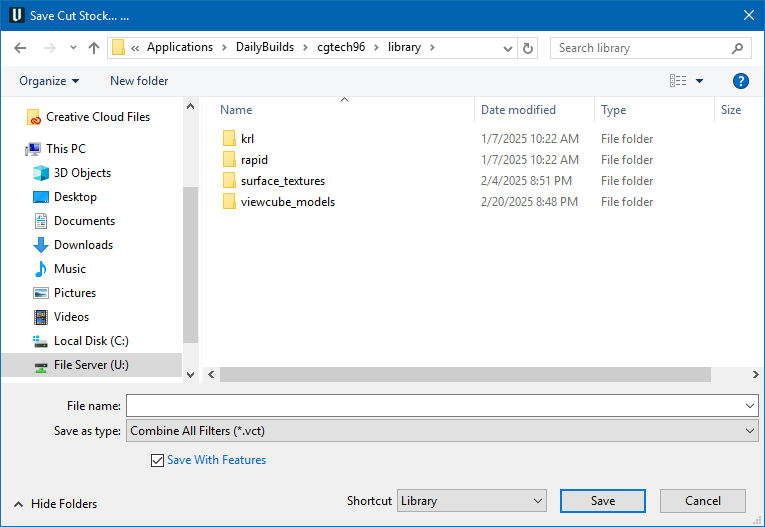
Most features on this window are standard file selection window features that enable you to navigate through directories, filter files, and type, or select, /path/filenames. A description of features specific to Vericut can be found in the Introduction to Vericut File Selection Windows in the Getting Started section of Vericut Help.
A cut stock model can be saved as a Vericut Solid file "with features" or "without features". Toggle the Save with Features option, in the Save Cut Stock window, On (the default) or Off.
When the cut stock model is saved "with features", the cut database, the full feature (cylinder, plane, torus, etc.) database, cut and stock colors are stored in the Vericut Solid file in addition to the geometry data. When the cut stock model is saved "without features", only the geometry data is saved in the Vericut Solid file.
Vericut Solid (.vct) files are by default compressed when they are saved. Vericut can read these compressed files directly.
To disable writing compressed Vericut Solid files, set the environment variable CGTECH_COMPRESS=VCT (ref. Environment Variables section of Vericut Help for additional information).
See Vericut Solid File section of Vericut Help for more information.
Also see Save or Load a Vericut Solid (.vct file) section of Vericut Help.
See also CAD Model (Export Cut Stock window) for additional information on other Save Cut Stock methods.