Information
Location:
Tool Manager> X-Caliper tab > Information group >  (Information)
X-Caliper tab > Information group > (Information)
The Information command button is used to display related cut feature (mathematical description) and NC program history. The historical data includes: NC program file name, record number, and NC program record text responsible for cutting the feature. This function is useful to spot-check machined features, and determine the source of an error cut or additive bead placement identified in red by Vericut.
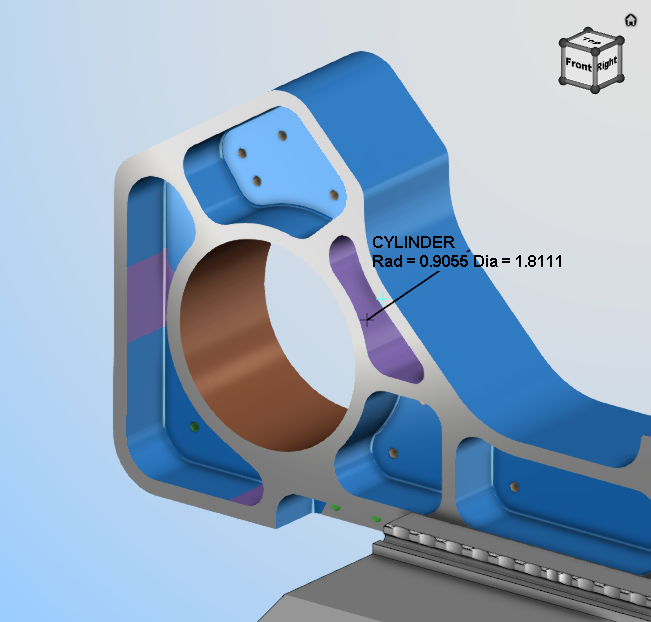
When using the Information command button, simply click on any surface to gather data which will be displayed on the model with text and a leader as shown below:
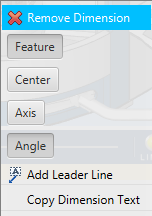
Left mouse button on the text displayed in the View and there are options to toggle on the display of other information on that feature:
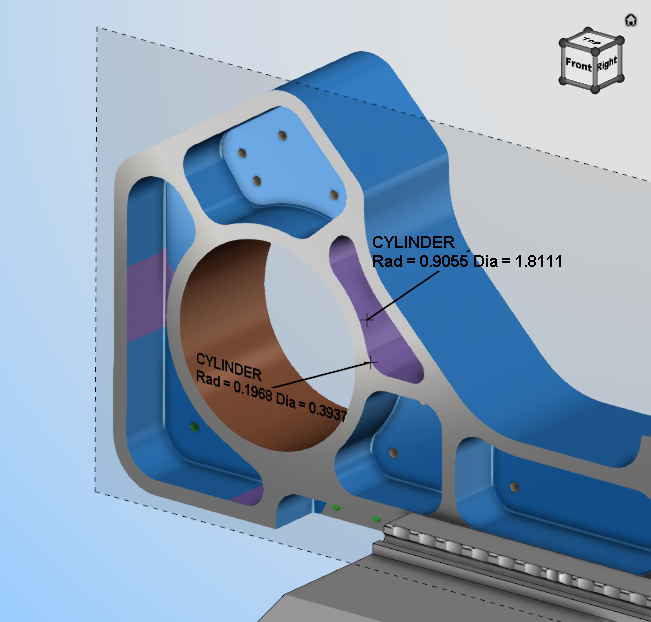
The text displayed in the View for Information features can be oriented using Show Annotation Plane functionality in the X-Caliper Dimensions group to place the text on a plane.
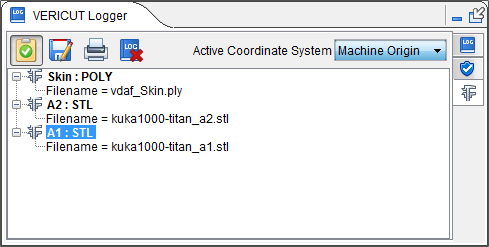
The information for that feature is also display in the Vericut Logger panel as shown below:
Sample Information:
Refer to the Information group section for information on the Toolbar features.
Select Information and then select the point on the view workpiece that you wish to gather information from. When a model is selected, the Vericut Logger displays information related to the model. The model data includes: component name, model type, and model dimensions or model file name.