Introduction to Vericut Drill and Fastener Programming
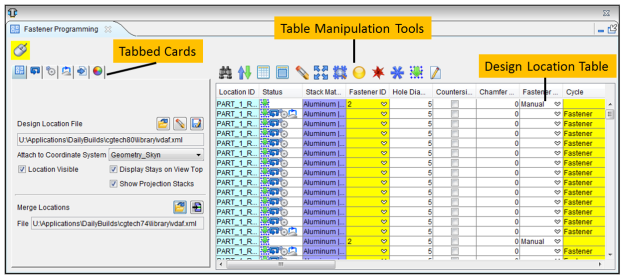
 (Mouse Pick Indicator) — When highlighted, the Mouse Pick Indicator indicates that the Fastener Programming window is the "active" window. When highlighted, holding the cursor over a drilled hole/fastener location, in the graphics area, will display information specific to the particular location as shown in the picture below.
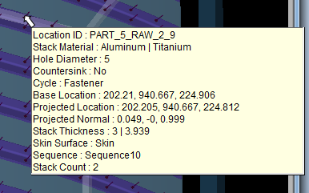
See Mouse Pick Indicator in the Getting Started section of Vericut Drill and Fastener Simulation Help for additional information.