Axis Intersection group
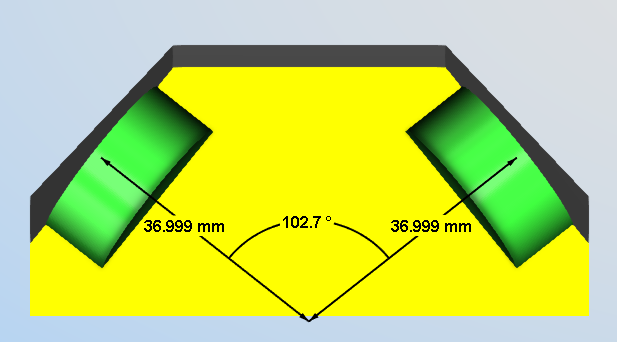
The command buttons in the Axis Intersection group enable you to measure the point in which two axes intersect and the distance from this point to an intersecting plane along those axes.
First Axis — This is used to define one axis of the intersection.
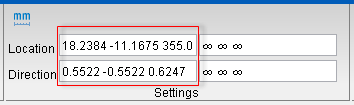
Vericut uses data from the screen pick to fill in the Direction and Location data fields in the X-Caliper Settings group as shown in the picture below. After the First Axis has been selected, the Second Axis becomes active.
Second Axis — This is used to define the other axis of the intersection.
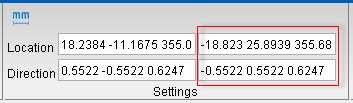
Vericut will issue a warning if this axis does not intersect with the first and prompt for reselection. After Second Axis has been selected, the axis intersection with the angle is displayed in the View Window and Bottom Feature becomes active.
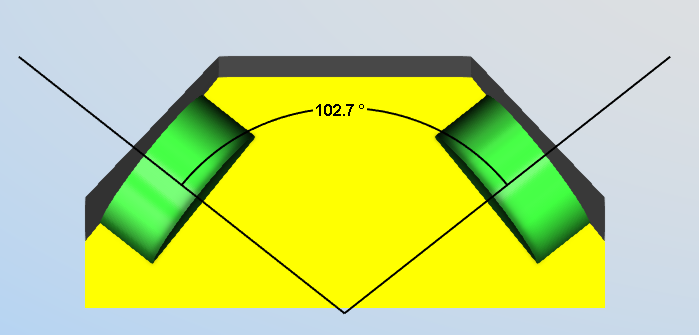
Intersecting Plane — This is used to define a plane that intersects one or both axes to measure the distance from the axis-axis intersection point to the axis-plane intersection point along the axis.
Vericut will issue a warning if this plane does not intersect with at least one of the axes and prompt for reselection.
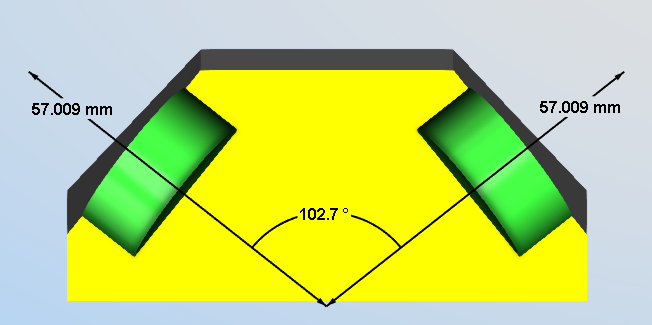
📝 NOTE: Each distance and angle measurement are individually selectable so that those deemed unnecessary can be removed from view. This can be combined to show distances from the same axis intersection to multiple planes.