VDAF X-Caliper Features
The following X-Caliper features are only available when using a review file created in Vericut Composite Simulation. If a feature is not listed here, it is shared between the X-Caliper tab of all software and will be explained on the Common Features page.
Information
Location: X-Caliper tab >  (Information)
When a model is selected, this command button gathers information about the model and the component that it is associated with.
Sample Vericut Logger panel, X-Caliper tab results:
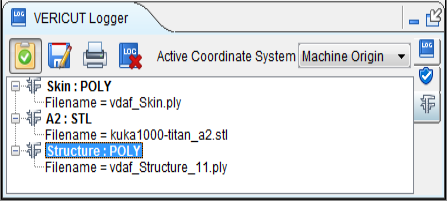
When a model is selected, the Model Information option displays information related to the model. The model data includes: component name, model type, and model dimensions or model file name.
Stack Thickness
Location: X-Caliper tab >  (Stack Thickness)
The Stack Thickness command button enables you to determine the number of components in the stack, the thickness of each component, and the overall thickness stack at a specified point.
Sample Vericut Logger panel, X-Caliper tab results:
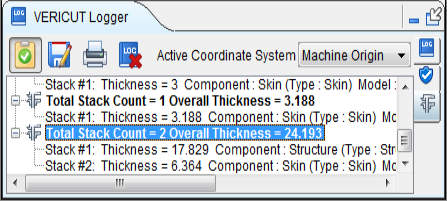
Click anywhere on the Skin component to indicate where you want Vericut Drill and Fastener Simulation to determine the Stack Thickness at the selected point.
Results are displayed in the X-Caliper window. Data output includes the Total Stack Count at the selected point, the Component, Model, and Thickness for each component at the selected point, and the Overall Thickness at the selected point.
When Stack Thickness is selected, the Settings group changes to the following:
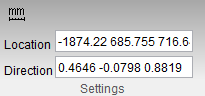
Location and Direction text fields can be edited manually.