Main Window Features

Minimize — Hides the Optimizer until expanded again from your computer's task bar.
Full Screen — Clicking this option expands Optimizer to fill your entire computer screen.
Exit — Clicking this option closes Optimizer.
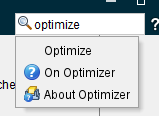
Search Ribbon — Use this feature to search for other features throughout Optimizer. Type in the name of the feature you want to find and a pop-up list of features that match your search. Click on the feature you want and Optimizer will activate that feature for you or navigate you to the window or panel where it is located.
Help — Opens this Help.
Collapse/Expand Ribbon — Use this toggle to set whether the menu ribbon is displayed or hidden.
Displayed

Hidden
