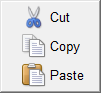
Cycles window
The Cycles window features enable you to maintain cycle and modals definitions used to interpret "CYCLE" records. This feature is especially useful if simulated cycle motions are not displayed as expected. When Optimizer cannot find definitions to interpret a CYCLE record, an error similar to "Invalid CYCLE record" error is issued. In these cases, cycle definitions must be modified to correctly interpret the cycle data.
Icon Bar:

The items in the Icon Bar enable you to search for, and/or replace, specific items in the file listing, print the file, or exit the window. Moving the cursor over the icon will display name of the option. Each feature (from left to right) is described below.
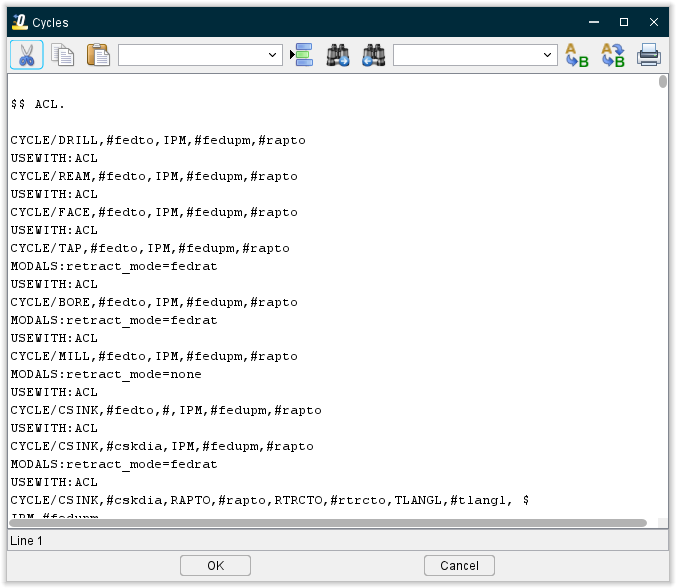
 Cut Ctrl+X — Cuts the highlighted text in the file listing and puts it in the paste buffer.
 Copy Ctrl+C — Copies the highlighted text in the file listing to the paste buffer.
 Paste Ctrl+V — Puts the contents of the paste buffer at the location of the cursor in the file listing.
Line Number or Search Text — Use this text field to enter a line number, or a string of text, to search for.
 Go to Line Number — Moves the cursor in the file listing to the line number specified in the Line Number or Search Text field.
 Search Forward — Searches forward in the file listing for the text string specified in the Line Number or Search Text field.
 Search Backward — Searches backward in the file listing for the text string specified in the Line Number or Search Text field.
Replacement Text — Use this text field to enter a "replacement text" string.
 Replace One — Replace one occurrence of text string in the Line Number or Search Text field (or the highlighted text in the file listing) with the text string in the Replacement Text field.
 Replace All — Replace all occurrences of the text string in the Line Number or Search Text field with the text string in the Replacement Text field.
 Print — Print the file.
OK — Accepts the changes and closes the Cycles window.
Cancel — Closes the Cycles window without accepting the changes.
↘️ Shortcut: Right-click in the Cycles window to display the following menu: